

Google adds one-click ad previews to PMax
Google rolled out a small but practical update to Performance Max that makes reviewing creatives faster and less clunky.
What’s new. Advertisers can now click directly on images or videos inside the Asset Groups table to instantly preview how ads will appear across different Performance Max placements — without leaving the page.
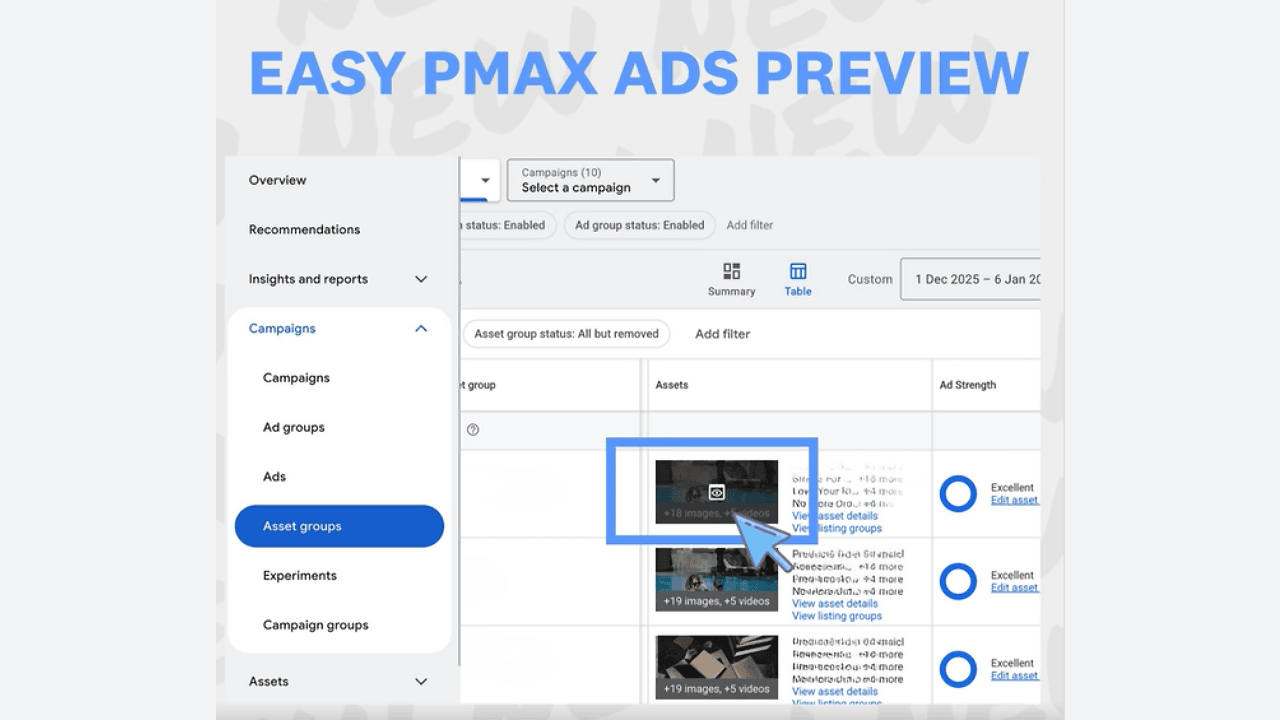
Why we care. Previously, checking creative previews meant digging into separate views or settings. This change keeps advertisers in the workflow, cutting down friction during creative QA and iteration.
Between the lines. Performance Max is often criticized for limited transparency, so even incremental UI improvements that surface creatives more clearly are notable.
The bottom line. One-click previews won’t change Performance Max strategy, but they do save time — especially for teams managing large asset libraries or making frequent creative updates.
First seen. This update was spotted by Paid Search marketer Bia Camargo.








Recent Comments